6 OpenCode iOS clients compared (2026)
Compare OC Remote, OpenClient, OpenLens, WhisperCode, OpenCode-Mobile-Client, and Remote for OpenCode by connection model, system requirements, and cost.
There is no single best OpenCode iOS app. Direct-server clients suit people who already have LAN, Tailscale, or HTTPS access to an OpenCode host. A companion-based client removes most network configuration but adds software on the Mac. The right choice starts with that architecture, then the minimum iOS version and the controls you need.
OpenCode iOS clients at a glance
OC Remote
- Connection
- Direct to a stable OpenCode V2 or supported classic V1 endpoint.
- Requires
- iPhone and iPad; iOS or iPadOS 18+
- Access
- Free monitoring; annual Pro subscription for controls.
OpenClient
- Connection
- Direct to a self-hosted OpenCode V1 or V2 server.
- Requires
- iPhone and iPad; iOS or iPadOS 17+
- Access
- Limited free use; monthly and lifetime Pro purchases listed.
OpenLens
- Connection
- Direct server connection with nearby discovery and V2 pairing.
- Requires
- iPhone and iPad; iOS or iPadOS 26+
- Access
- Free.
WhisperCode
- Connection
- Direct OpenCode server connection with a mobile port of the desktop UI.
- Requires
- iPhone and iPad; iOS or iPadOS 17+
- Access
- Free and open source.
OpenCode-Mobile-Client
- Connection
- Direct HTTP or HTTPS connection, including LAN and Tailscale routes.
- Requires
- iPhone and iPad; iOS or iPadOS 15+
- Access
- Free and open source.
Remote for OpenCode
- Connection
- iPhone app plus a Mac companion; devices pair through iCloud.
- Requires
- iPhone on iOS 17+ and a Mac running the companion.
- Access
- Free and source-available.
How the six clients differ
OC Remote
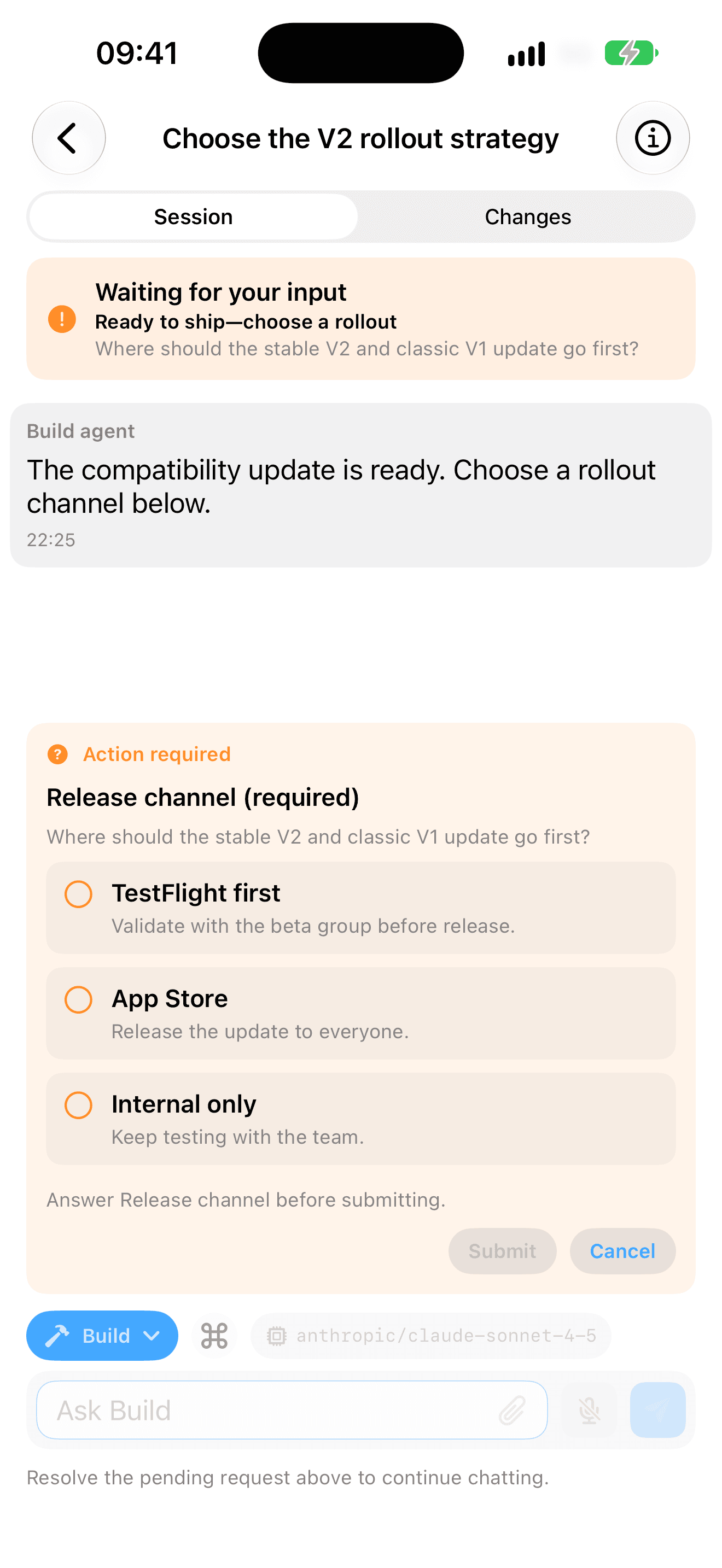
OC Remote connects to endpoints you configure. It supports stable V2 pairing and a separate classic V1 path. Project, session, timeline, file, and diff monitoring is free; Pro adds prompts, structured answers, approvals, queue and session actions, terminals, MCP management, and on-device dictation. It does not host OpenCode or keep a sleeping host awake. Eligible new subscribers can start with a 7-day free trial, then €5.99/year in the euro storefront; local pricing may vary.

Who OC Remote is for
Consider it when you already run OpenCode, use iOS 18 or later, and want free monitoring with optional paid controls. Skip it if you need Android, want a hosted workspace, do not want to maintain network access, or already prefer OpenCode Web.
Start with the complete iPhone setup or the dedicated Tailscale guide.
OpenClient
OpenClient's current listing emphasizes a broad native surface: V1 and V2 connections, projects and workspaces, permission and question responses, per-response diffs, a terminal, Live Activities, widgets, shortcuts, and optional self-hosted Web Push. Its free tier is limited by prompts and sessions; the US listing currently offers monthly and lifetime Pro purchases. It supports iOS and iPadOS 17 or later.
OpenLens
OpenLens focuses on a direct, compact client with nearby Bonjour discovery, saved servers, V2 QR pairing, session and model controls, permission and question responses, diffs, and Live Activities. Its current App Store listing is free and requires iOS or iPadOS 26.
WhisperCode
WhisperCode describes itself as a mobile port of the OpenCode desktop experience with WhisperKit speech-to-text. Its listing also names password support, remote HTTP servers, push notifications, a diff viewer, diff comments, and terminal mode. It is free, open source, and supports iOS and iPadOS 17 or later. Its latest listed update is April 2026, so verify compatibility with your current OpenCode release.
OpenCode-Mobile-Client
This open-source client is the broadest option here by OS floor: iOS and iPadOS 15 or later. The listing focuses on chat continuity, multiple server profiles, Basic Auth, health checks, Keychain storage, and direct HTTP or HTTPS connections over LAN or a VPN such as Tailscale. It is a narrower client than the listings that advertise terminals, MCP management, or extensive native integrations.
Remote for OpenCode
Remote for OpenCode takes a different route. Its Mac companion keeps OpenCode on localhost, while the iPhone and Mac find each other through the user's iCloud account and communicate directly with end-to-end encryption. It avoids server URLs, VPN configuration, and port forwarding, but requires a Mac and does not list iPad support. The app and companion are source-available under a noncommercial license.
A practical shortlist by need
- Lowest OS requirement: OpenCode-Mobile-Client lists iOS 15+.
- Mac with minimal network setup: Remote for OpenCode uses a companion and iCloud pairing.
- Deep Apple platform integrations: compare OpenClient's widgets and shortcuts with OpenLens's Live Activities.
- Speech-first, open-source interface: WhisperCode centers WhisperKit transcription.
- Stable V2 plus a classic V1 path: compare OC Remote and OpenClient against your exact server release.
- No third-party app: use the official OpenCode Web UI in Safari.
Official Web and SSH are still valid options
Stable OpenCode includes a password-protected Web UI. It is the sensible default when you want the official interface and no App Store client. Generate a one-time link and open it through a route the phone can reach:
opencode service start
opencode service status
opencode pair
Current OpenCode also documents opencode pair --remote for its encrypted remote route. Read the confirmation carefully: it exposes the service through OpenTunnel and still requires the server password.
SSH with tmux is better when terminal fidelity matters more than touch ergonomics. It keeps the original TUI and every shell tool available, at the cost of a denser mobile interface:
ssh your-host
tmux new-session -A -s opencode
opencode
Security questions to ask before choosing
- Does the phone connect directly, through a companion, or through a hosted relay?
- Where are the OpenCode password, pairing token, and model-provider credentials stored?
- Does the route stay inside a Tailnet, or is a public endpoint involved?
- Which OpenCode API generation and app version were tested together?
- Can you revoke the client by changing the server password or removing its connection?
Never publish an unauthenticated OpenCode server. For a direct client, prefer a private Tailnet route or trusted HTTPS. OC Remote's concrete setup is documented in the secure connection overview.
Primary sources
Install OC Remote
Monitor for free. Eligible new subscribers can start with a 7-day free trial, then €5.99/year in the euro storefront; local pricing may vary. Requires iOS or iPadOS 18.